

Connect with patients through Voice
Create automated call campaigns directly through the Marketing module. Real engagement with your base.
- Reduces no-shows and reschedules
- Integrates with your schedule Octor



Solutions for Clinics
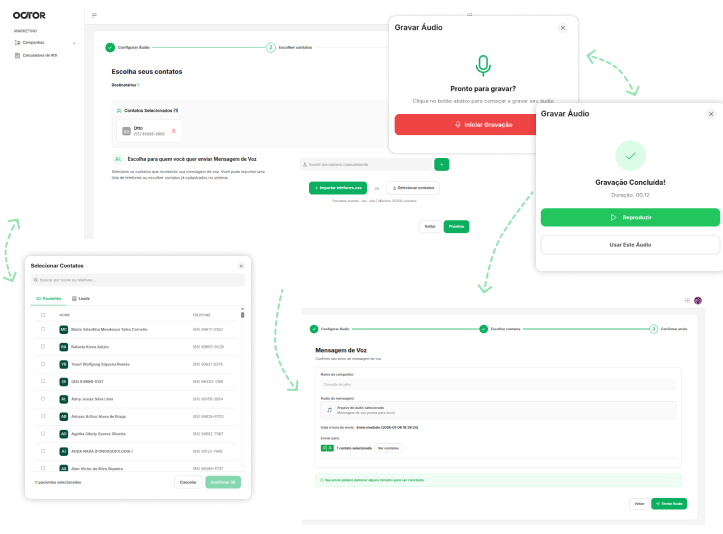
Voice campaigns in 3 steps
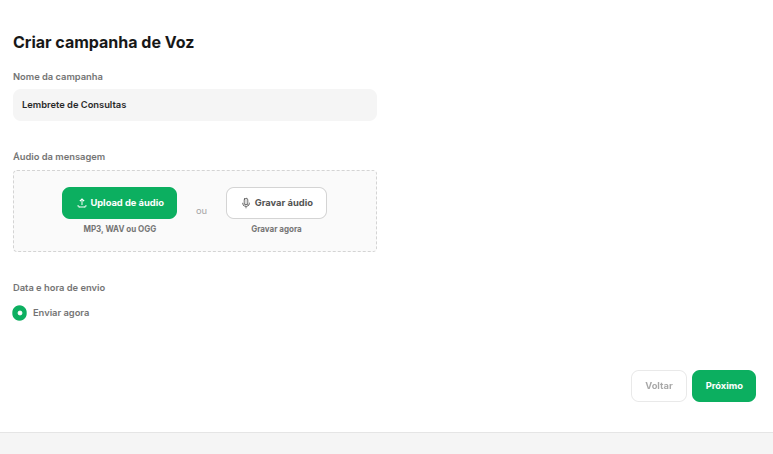
Step 1 — Configure Audio
Set the campaign name, upload an audio file, or record directly through the system. Schedule immediate sending or for a specific date and time.
- Audio file upload.
- Direct browser recording.
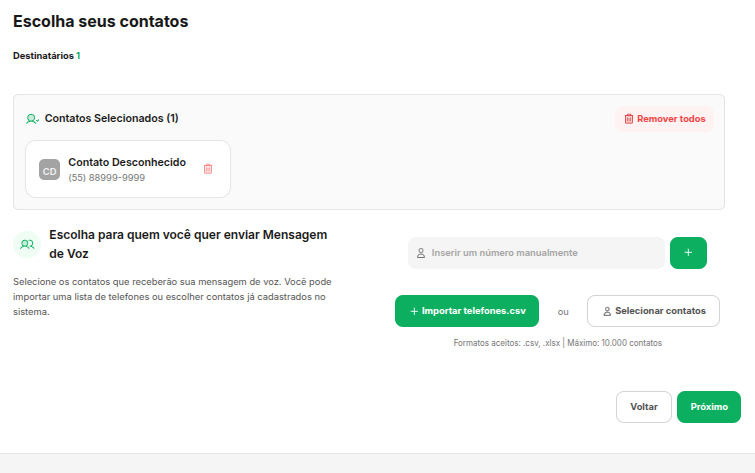
Step 2 — Choose Contacts
Import a CSV list, select contacts from your base, or add numbers manually. View all recipients before dialing.
- CSV import or base selection.
- Manual number addition.
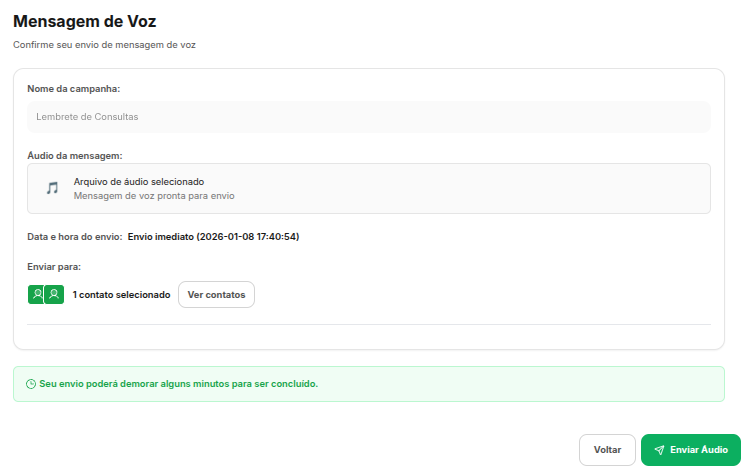
Step 3 — Confirm Broadcast
Review campaign name, audio file, send date/time, and contact count. Confirm and the system starts calling.
- Complete campaign summary.
- Confirmation before broadcast.
Voice Features
Active and humanized communication
Our Credits
Voice Credit Packages
Tailored Cost
Recharge your account and use it for voice campaigns. Billing by success or time, ensuring the best ROI.
- No monthly fee and no contract
- Credits never expire
- Total cost control